QuickTip Sundays: Show Photos Of What The Part Works With
I love LaCie products. I have a few of their hard drives sitting on my desktop (there’s something very manly about having close to 2TB of storage),and I love their industrial design, especially the Porsche drives.
Llet’s just say a few weeks ago, one of the power supplies died.
(Well, it didn’t die, I cut the wire accidentally while the hard drive was on).
Over to the LaCie website, their website is as elegant as their products. It’s clean as hospital white sheets, and very easy to shop there (like any online shop should be).
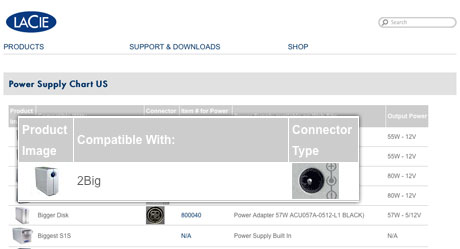
Most importantly, when shopping for parts, the website list the name of the product, show a thumbnail of both the drive and the connector type. The only failing is no buy now button.
But I clicked on the part number, and was on my way in minutes.
Why don’t more sites do it this way?
$99 Tough Love Resume and Portfolio Review
Tough love. Great Advice. Receive an one hour portfolio review and career coaching session online, or in person if you're in Seattle.
