QuickTip Sundays: Sharepoint Blogs
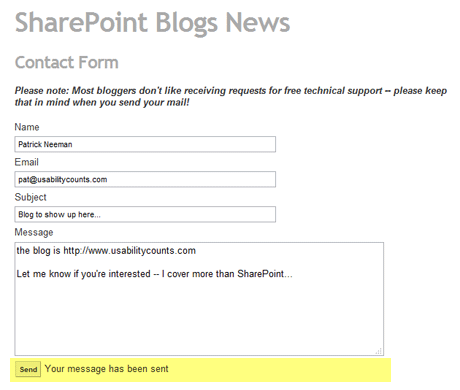
When a form has been completed, indicate status clearly and not just with a single line of text
I’ve been promoting the blog a bit lately, and that means filling out a lot of contact forms. One of my pet peeves (and this isn’t just the Sharepoint Blogs site) is that many contact forms have a single line of text that reads something along the lines of, “It’s been sent.” Usually, it’s so small, people resend the same message over and over again. My first assumption is, “Did I do something wrong? Where’s the error text?”
I’m going to make everyone a deal — I’ll write a “thank you for sending us a note” page for free if you need that if you promise to endlessly promote me on your site.
Please spend the extra 15 minutes to add a secondary page that knows the message has been sent and confirms it to the user.
$99 Tough Love Resume and Portfolio Review
Tough love. Great Advice. Receive an one hour portfolio review and career coaching session online, or in person if you're in Seattle.
